
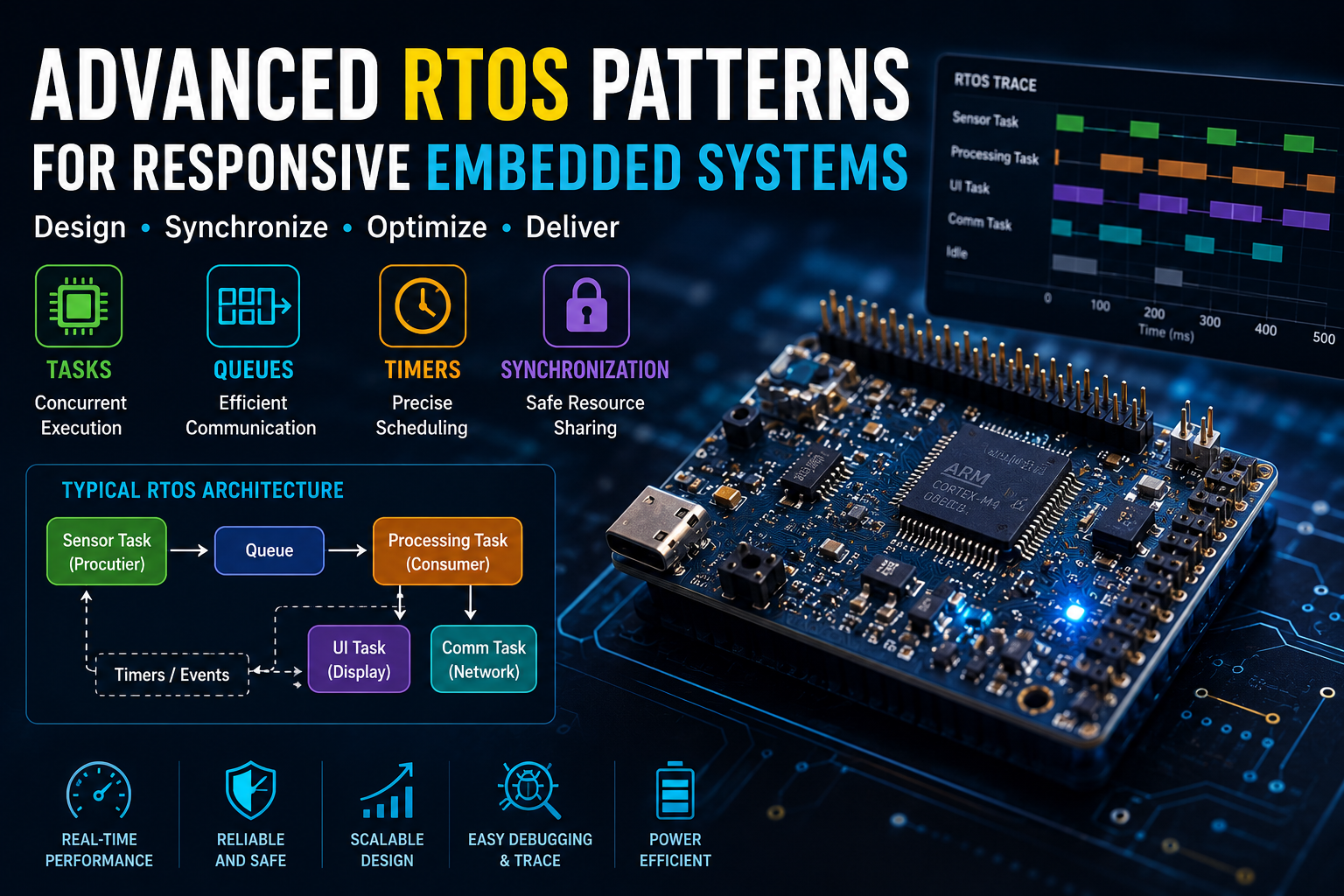
Many embedded projects begin with a simple while(1) loop. For small applications, this approach works well. As soon as additional sensors, communication interfaces, displays, and timing requirements are introduced, however, the firmware becomes increasingly difficult to maintain.
Developers often find themselves writing complex state machines, managing software timers manually, or struggling with code that behaves differently depending on execution order. Eventually, adding a new feature risks breaking an existing one.
This is where a Real-Time Operating System (RTOS) changes the development process. Instead of one endless loop performing every task, an RTOS allows work to be divided into independent tasks that execute predictably according to defined priorities and scheduling rules. The result is software that is easier to organize, debug, and scale as projects grow.

Why Loop-Based Firmware Eventually Breaks Down
Polling loops remain popular because they are easy to understand, but they do not scale well.
As more functionality is added, every task competes for processor time inside the same execution loop. Long-running operations delay time-critical events, making the firmware harder to predict.
| Loop-Based Design | RTOS Design |
|---|---|
| Single execution loop | Multiple independent tasks |
| Manual scheduling | Automatic scheduler |
| Difficult timing control | Deterministic execution |
| Hard to expand | Easily scalable |
| Blocking delays common | Event-driven execution |
For small projects, a loop is sufficient. For larger embedded systems, an RTOS provides a more structured foundation.
What Makes an RTOS Different?
Rather than executing one function after another, an RTOS schedules multiple tasks according to their priority and state.
Imagine an environmental monitoring device with three responsibilities:
- Reading sensors every 100 ms
- Updating an LCD display
- Sending telemetry over Wi-Fi
Without an RTOS, these activities compete inside a single loop. With an RTOS, each becomes an independent task managed by the scheduler, allowing the processor to respond quickly to real-time events while maintaining predictable timing.
The Most Useful RTOS Design Patterns
Producer–Consumer Pattern
One task generates data while another processes it.
For example, a sensor task continuously samples temperature and humidity, placing each reading into a queue. A communication task retrieves the data and sends it to a cloud service or industrial controller.
This separation keeps sensor acquisition independent from network delays and improves overall responsiveness.
Typical uses include:
- Sensor acquisition
- Data logging
- UART communication
- CAN messaging
- Industrial monitoring
Pipeline Processing
Some embedded applications require data to pass through several processing stages.
A typical signal-processing pipeline might look like this:
Sensor
   ↓
Filtering Task
   ↓
Data Processing
   ↓
Communication Task
   ↓
Cloud / Display
Each stage focuses on a single responsibility, making the firmware easier to test, optimize, and extend.
Event-Driven Architecture
Instead of constantly polling hardware, tasks remain blocked until an event occurs.
Typical events include:
- Button presses
- Sensor interrupts
- UART reception
- Timer expiration
- Network packets
This approach reduces CPU usage and improves power efficiency, making it especially useful in battery-powered devices.
Task Synchronization Without Chaos
As multiple tasks access shared resources, synchronization becomes essential.
FreeRTOS provides several mechanisms, each designed for a specific purpose.
| Mechanism | Best Used For |
|---|---|
| Binary Semaphore | Event signaling |
| Mutex | Protecting shared resources |
| Queue | Passing structured data |
| Stream Buffer | Continuous byte streams |
| Event Groups | Multiple event flags |
| Task Notification | Fast task signaling |
Selecting the appropriate synchronization primitive improves both performance and code clarity.
Queues vs. Stream Buffers
Although both transfer information between tasks, they serve different purposes.
Queues
Queues move complete messages or data structures.
Examples include:
- Sensor measurements
- CAN frames
- Command packets
- GPS coordinates
Stream Buffers
Stream buffers transfer continuous streams of bytes.
They are ideal for:
- UART reception
- Audio data
- Serial communication
- File transfers
Choosing the right mechanism reduces memory usage and simplifies software architecture.
ISR-to-Task Notifications
Interrupt Service Routines should execute as quickly as possible. Lengthy processing inside an interrupt increases system latency and can interfere with other real-time tasks.
A better approach is to let the interrupt perform only the essential work—such as reading a hardware register or clearing an interrupt flag—and then notify a dedicated task to handle the remaining processing.
This approach keeps interrupt latency low while allowing more complex operations to execute safely within the RTOS scheduler.
Handling Priority Inversion
Priority inversion occurs when a high-priority task must wait because a lower-priority task holds a shared resource.
Imagine three tasks:
- High Priority → Motor Control
- Medium Priority → Display Updates
- Low Priority → SD Card Logging
If the low-priority logging task locks a shared resource and the medium-priority task continues running, the high-priority motor controller may be forced to wait unexpectedly.
Priority inheritance solves this issue by temporarily raising the priority of the task holding the resource, allowing it to complete quickly and release the lock.
This prevents unnecessary delays in safety-critical or time-sensitive applications.
Managing Memory in RTOS Applications
Memory management becomes increasingly important as the number of tasks grows.
Each task requires its own stack, and communication objects such as queues, semaphores, and timers also consume RAM.
Developers should monitor:
- Task stack allocation
- Heap usage
- Queue sizes
- Buffer allocation
- Dynamic memory fragmentation
Many embedded applications prefer static allocation to improve predictability and reduce runtime fragmentation.
Software Timers vs. Hardware Timers
Not every periodic operation requires a hardware timer.
| Hardware Timer | Software Timer |
|---|---|
| High precision | Scheduled by RTOS |
| Interrupt-based | Task-based |
| Limited quantity | Many timers available |
| Best for PWM or capture | Best for periodic software tasks |
Understanding when to use each type keeps designs both efficient and maintainable.
Debugging RTOS Applications
Debugging multiple concurrent tasks is very different from debugging a single-loop application.
Useful techniques include:
Stack Watermark Analysis
Checks whether task stacks are appropriately sized before stack overflows occur.
Runtime Trace Tools
Visualize task execution, scheduling decisions, interrupts, and CPU utilization over time.
Queue Monitoring
Identify communication bottlenecks, queue overflows, or blocked tasks.
Task State Inspection
Observe which tasks are running, blocked, suspended, or waiting for synchronization events.
Together, these techniques make complex RTOS applications far easier to diagnose and optimize.
Sample RTOS Architecture
A practical embedded application might be organized as follows:
Interrupts
      │
      ▼
Sensor Task
      │
      ▼
Processing Task
      │
 ┌────┴────┐
 ▼         ▼
Display   Logger
 │         │
 └────┬────┘
      ▼
Communication Task
      ▼
Cloud / PLC / Mobile App
Each task has a clearly defined responsibility, reducing coupling and making the system easier to maintain as new features are added.
Common RTOS Mistakes
Even experienced developers occasionally introduce issues that reduce responsiveness.
Common pitfalls include:
- Blocking high-priority tasks
- Oversized critical sections
- Excessive dynamic memory allocation
- Polling instead of event-driven design
- Using delays instead of synchronization primitives
- Creating unnecessary tasks
- Ignoring stack usage
- Sharing resources without mutexes
Avoiding these mistakes improves system reliability and long-term maintainability.
Who Should Learn Advanced RTOS Design?
Developers working with increasingly complex embedded systems benefit the most from advanced RTOS concepts.
These techniques are especially valuable for applications involving:
- Industrial automation
- IoT gateways
- Robotics
- Medical devices
- Automotive electronics
- Smart home controllers
- Data acquisition systems
- Wireless sensor networks
As embedded products become more connected and feature-rich, understanding RTOS design patterns is no longer optional—it is becoming a core skill for building responsive, scalable, and maintainable firmware.
Conclusion
As embedded systems continue to evolve, writing everything inside a single loop is no longer enough for many modern applications. A well-designed RTOS architecture makes firmware more responsive, modular, and easier to maintain by separating responsibilities into independent tasks that communicate efficiently and execute predictably.
Understanding design patterns such as producer-consumer, event-driven processing, task synchronization, priority inheritance, and efficient memory management equips developers to build software that can scale from simple prototypes to sophisticated commercial products. Combined with practical debugging techniques and thoughtful system architecture, these skills form the foundation of professional embedded development and prepare engineers to tackle increasingly demanding real-time applications with confidence.