
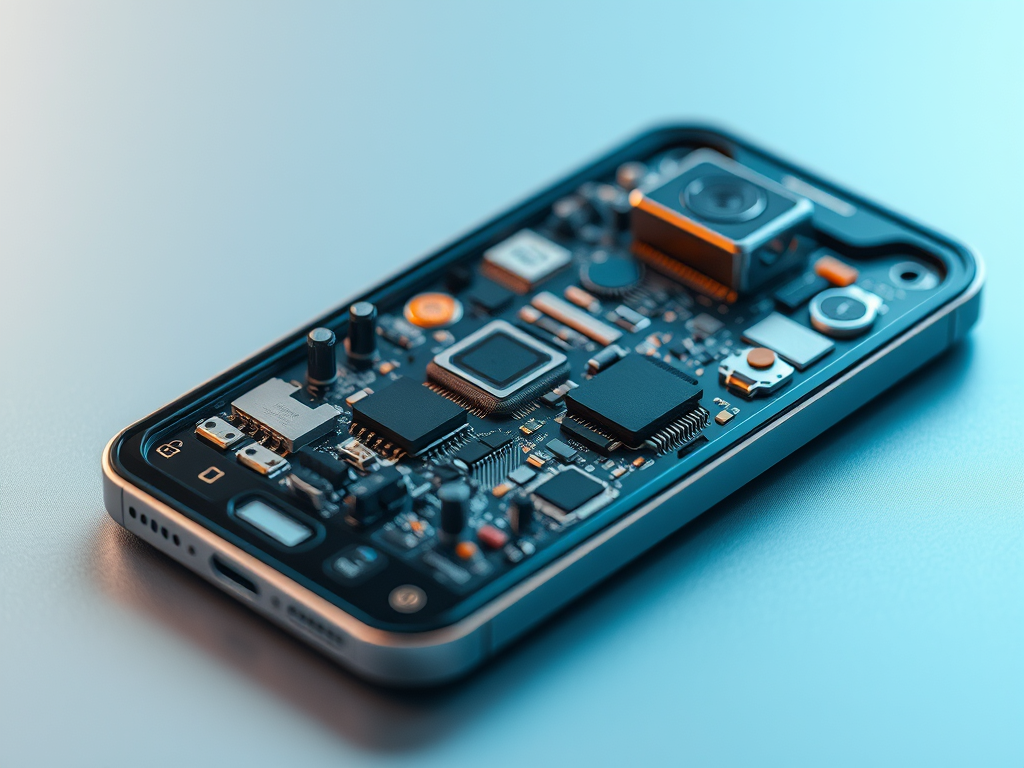
12 Tiny Sensors Inside Your Phone That Quietly Run Your Day

Your smartphone is packed with hidden sensors that detect motion, light, location, touch, pressure, and more. Discover how 12 smartphone sensors actually work.
Your smartphone looks like one device.
Technically, it is closer to a tiny laboratory.
Every time you rotate the screen, take a stabilized photo, follow Google Maps, unlock the phone with your finger, put the phone against your ear, count your steps, adjust screen brightness, or play a motion-controlled game, multiple electronic systems are quietly measuring the physical world around you.
And most people never notice them.
Inside a modern smartphone are sensors capable of detecting movement, rotation, magnetic fields, light, pressure, distance, sound, touch, location, and even detailed features of your face or fingerprint.
Some are so small that you could barely identify them without magnification.
Yet together they allow your phone to understand what is happening around it.
This is one of the most fascinating lessons in modern electronics:
A device becomes “smart” when it can sense the world, process information, and respond to what it detects.
That same principle powers robots, drones, smart homes, fitness trackers, autonomous machines, industrial systems, Arduino projects, Internet of Things devices, and countless embedded systems.
So what exactly is hiding inside the smartphone in your pocket?
Here are 12 of the most important sensors and sensing technologies—and what they actually do.
First: What Is a Sensor?
A sensor is a device that detects a physical condition and converts it into information an electronic system can process.
The physical condition might be:
- Motion
- Rotation
- Temperature
- Light
- Pressure
- Distance
- Sound
- Magnetic fields
- Touch
Suppose you want a phone to know whether it is being rotated.
Software alone cannot directly “see” rotation.
Something physical has to measure movement.
A sensor makes that connection between the physical world and the digital world.
The sensor generates electrical or digital information. A processor reads that information. Software interprets it. Then the phone decides what to do.
For example:
Physical movement → sensor measurement → electrical signal → processor → software decision → screen rotates
Android groups many device sensors into three broad categories: motion sensors, environmental sensors, and position sensors. Motion sensors can measure acceleration and rotation, environmental sensors can measure parameters such as light and pressure, and position sensors can help determine a device’s physical orientation.
Now consider how many times that process happens every minute while you use your phone.
1. Accelerometer: How Your Phone Knows It Is Moving
One of the most important sensors inside a smartphone is the accelerometer.
Its job is to measure acceleration.
In simple terms, it helps the phone detect changes in movement.
Move your phone forward.
Tilt it sideways.
Pick it up.
Shake it.
Drop it.
The accelerometer can detect changes associated with these movements.
Most smartphone accelerometers measure movement along three axes:
- X-axis
- Y-axis
- Z-axis
This gives the device a three-dimensional picture of how acceleration is affecting the phone.
Android describes accelerometers as hardware-based motion sensors and notes that most Android-powered handsets and tablets contain one.
What Does Your Phone Use the Accelerometer For?
Common applications include:
- Detecting device movement
- Helping rotate the screen
- Counting steps
- Fitness tracking
- Detecting shaking gestures
- Gaming controls
- Motion analysis
- Supporting camera stabilization
- Helping determine device orientation
The interesting part is the scale.
You do not need a large mechanical device inside your phone.
Modern accelerometers are often based on MEMS technology.
MEMS stands for Micro-Electro-Mechanical Systems.
These devices can contain microscopic mechanical structures manufactured alongside electronic circuitry.
STMicroelectronics notes that MEMS accelerometers and gyroscopes are used in smartphones for functions including orientation, gesture recognition, and optical image stabilization.
That means your phone can contain tiny mechanical structures that physically respond to motion even though, from the outside, the phone appears completely solid.
2. Gyroscope: The Sensor That Detects Rotation
The accelerometer detects acceleration.
But your phone also needs to understand something different:
rotation.
That is where the gyroscope becomes important.
A smartphone gyroscope measures how quickly the phone rotates around its axes.
Android specifies gyroscope measurements as rotational velocity around the X, Y, and Z axes, typically represented in radians per second.
Imagine playing a racing game.
You tilt your phone.
The game needs to understand not simply that the phone moved, but how it rotated.
Or imagine using augmented reality.
A digital object must stay in the correct apparent position as you move and rotate your phone.
That requires extremely fast motion information.
Where Is the Gyroscope Used?
Examples include:
- Augmented reality
- Virtual reality
- Motion-controlled gaming
- Camera stabilization
- Panorama photography
- Device orientation
- Navigation assistance
- Video stabilization
Modern motion-sensing packages often combine an accelerometer and gyroscope into a single compact device known as an IMU, or inertial measurement unit. Bosch describes smartphone IMUs as combining accelerometer and gyroscope functions in a small package for motion sensing.
The important engineering lesson is that one sensor rarely tells the whole story.
Your phone often combines multiple measurements to produce a much more reliable answer.
We will return to this idea later.
3. Magnetometer: The Electronic Compass in Your Pocket
Open a compass application.
Turn around.
The compass rotates.
How?
Your smartphone may contain a magnetometer.
A magnetometer measures magnetic fields.
One obvious source is Earth’s magnetic field.
By measuring that field, a smartphone can help estimate its orientation relative to magnetic north.
Android identifies the geomagnetic field sensor as a hardware-based position sensor and explains that readings from a magnetometer can be combined with accelerometer information to help determine device orientation.
Why GPS Alone Is Not Enough
This is where many beginners misunderstand smartphone navigation.
Location and orientation are not the same thing.
GPS may tell your phone roughly where you are.
The magnetometer helps determine which direction the phone is facing.
That distinction becomes important when you open a map while standing still.
The navigation system may know your coordinates, but it also wants to know which way you are pointing.
Magnetometers Are Not Perfect
Bring your phone close to:
- Strong magnets
- Large speakers
- Magnetic accessories
- Certain metal structures
and compass readings can become less reliable.
That is one reason smartphones do not rely on one measurement alone.
They combine information.
Again, sensor fusion becomes important.
4. Proximity Sensor: Why the Screen Turns Off During a Call
Make a traditional phone call.
Move the phone toward your ear.
The display goes dark.
Pull it away.
The display comes back.
That behavior prevents your face from accidentally pressing buttons while you are speaking.
The component helping make this possible is the proximity sensor.
Its purpose is to determine whether something is close to the front of the device.
Android documentation notes that proximity sensing is commonly used to determine whether a handset is being held near a person’s face during a call. Some proximity sensors can provide a distance measurement, while others may effectively report only near or far states.
That is an elegant engineering solution to a simple human problem.
Without proximity detection, you might accidentally:
- Mute calls
- Press keypad buttons
- Open applications
- Change settings
- End calls with your cheek
The software does not need to understand your face.
It simply needs a reliable physical clue that an object has moved close to the display.
This is a recurring principle in embedded engineering:
You often do not need to measure everything. You only need the measurement required to make the correct decision.
5. Ambient Light Sensor: Why Your Screen Changes Brightness
Walk from a dark room into bright sunlight.
Your smartphone screen may automatically become brighter.
Return indoors.
The brightness decreases.
This is typically assisted by an ambient light sensor.
It measures the amount of light in the environment.
Android represents ambient light measurements in lux and lists automatic screen brightness as a typical application.
Why Does This Matter?
Imagine keeping maximum screen brightness all day.
You would waste energy when high brightness is unnecessary.
Now imagine keeping minimum brightness outside in strong sunlight.
The display could become difficult to read.
The light sensor gives the operating system environmental information that can help it choose a better brightness level.
The logic looks something like this:
Low environmental light → reduce brightness
High environmental light → increase brightness
Real smartphone algorithms are more sophisticated than those two rules, but the fundamental concept is the same.
This is also a perfect beginner example of automation.
You have:
- An input: ambient light
- A sensor: light sensor
- A controller: processor/software
- An output: display brightness
That architecture appears everywhere in engineering.
6. Barometer: Your Phone May Be Measuring Air Pressure
This one surprises people.
Some smartphones contain a tiny barometric pressure sensor.
A barometer measures atmospheric pressure.
Android supports pressure sensors that report atmospheric pressure, while sensor manufacturers such as Bosch produce compact pressure sensors intended for applications including smartphones, GPS devices, wearables, and drones.
Why would your phone care about air pressure?
Because pressure changes with altitude.
That means pressure measurements can provide additional information about changes in elevation.
Potential Uses Include
- Estimating altitude changes
- Fitness applications
- Detecting movement between floors
- Supporting positioning systems
- Weather-related measurements
- Improving elevation tracking
A satellite navigation system can provide altitude information, but adding another independent physical measurement can sometimes improve the overall estimate.
This is another example of engineers combining imperfect measurements rather than expecting one sensor to solve everything.
Not every smartphone includes the same pressure sensor, and hardware varies significantly between models.
That point matters for all the technologies in this article:
There is no universal sensor package shared by every smartphone.
Manufacturers choose hardware based on product features, price, design, power consumption, available space, and software requirements.
7. GNSS Receiver: How Your Phone Finds You on the Planet
People usually call this simply “GPS.”
More broadly, smartphones can use Global Navigation Satellite Systems, or GNSS.
The phone receives radio signals transmitted by navigation satellites and uses timing information from multiple satellites to estimate its position.
This system is fundamentally different from something like an accelerometer.
The accelerometer physically measures acceleration occurring at the device.
GNSS uses externally transmitted signals to calculate location.
That distinction is useful because people often call every piece of smartphone input hardware a “sensor,” even when technically different technologies are involved.
Why Location Is More Complicated Than It Looks
Your phone may combine information from several systems when determining where you are.
Depending on device and software, this can involve:
- Satellite navigation
- Wi-Fi information
- Cellular network information
- Accelerometers
- Gyroscopes
- Magnetometers
- Barometric pressure
- Mapping data
Consider walking through a city.
Satellite positioning helps determine your location.
The accelerometer detects movement.
The gyroscope detects rotation.
The magnetometer estimates direction.
Software then combines available information to create the smooth moving position you see on your map.
The interesting part is not any individual sensor.
The interesting part is the system.
8. Capacitive Touchscreen: How Glass Detects Your Finger
You touch what appears to be a sheet of glass.
Yet the phone knows exactly where your finger landed.
Move two fingers apart.
It interprets zoom.
Swipe upward.
The page moves.
How can glass know where you touched it?
Most modern smartphones use capacitive touch sensing.
A capacitive touchscreen uses an electrically sensitive structure beneath or integrated with the display area.
When a conductive object such as your finger approaches or touches the surface, it changes the electrical characteristics of the sensing system.
Electronics detect that change.
The controller estimates the touch position.
Software interprets that position as a tap, swipe, pinch, drag, or another gesture.
Capacitive touch systems rely on changes in electrical conditions rather than simply detecting mechanical pressure.
This creates a fascinating chain:
Finger → electrical change → touch controller → coordinates → operating system → application
When you tap a button on your screen, multiple layers of physics, electronics, firmware, operating-system code, and application software cooperate to make that tiny interaction feel instantaneous.
That is modern engineering at its best:
enormous complexity hidden behind a simple user experience.
9. Fingerprint Sensor: Turning Your Finger Into Data
Your fingerprint contains a complex pattern of ridges and valleys.
A fingerprint sensor captures characteristics of this pattern and allows the device’s security system to compare them against stored biometric information.
Smartphones have used several fingerprint-sensing approaches over the years.
Depending on the device, the sensor may be:
- Capacitive
- Optical
- Ultrasonic
Capacitive Fingerprint Sensors
These detect differences associated with the tiny ridges and valleys of the fingerprint using arrays of sensing elements.
Optical Fingerprint Sensors
These use light to obtain an image-like representation of fingerprint features.
Some smartphones place optical fingerprint readers underneath OLED displays.
Ultrasonic Fingerprint Sensors
These use ultrasonic energy to obtain information about fingerprint structure.
The exact implementation depends on the manufacturer and model.
The crucial engineering point is what happens after sensing.
The raw measurement itself is not enough.
Software must process the measurement, extract useful features, compare them with enrolled biometric information, determine whether the match satisfies security requirements, and then authorize or reject access.
This pattern appears throughout modern technology:
Sensor → signal processing → algorithm → decision
Learning electronics without understanding software is increasingly incomplete.
Learning software without understanding the hardware producing the data creates the opposite problem.
Modern products require both.
10. Camera Image Sensor: Millions of Tiny Light Detectors
Your smartphone camera is another sensing system.
Instead of measuring acceleration or pressure, a camera sensor measures light.
A modern digital camera image sensor contains an enormous array of light-sensitive elements.
Each location gathers information associated with incoming light.
That data is converted into electrical information and processed to create the final image.
But your final smartphone photograph is usually far more than a simple sensor reading.
Software can perform extensive computational processing, including operations related to:
- Exposure
- Color
- Noise reduction
- Focus
- High dynamic range
- Sharpening
- Image stabilization
- Portrait effects
- Scene analysis
This is why comparing phone cameras using megapixel count alone is misleading.
The complete imaging system matters:
Lens + image sensor + processor + algorithms + stabilization + software
Motion sensors can also contribute to camera performance. MEMS accelerometers and gyroscopes are used in consumer electronics for functions including optical image stabilization.
So even when taking one photo, multiple sensing systems may cooperate.
Your camera may be looking at the world while another sensor measures how your hand is moving.
11. Microphones: Sensors That Turn Air Movement Into Electrical Information
A microphone is a sensor too.
Sound is produced by pressure variations traveling through a medium such as air.
A microphone responds to these pressure variations and converts them into an electrical signal that electronics can process.
Your smartphone may contain multiple microphones rather than one.
Why?
Because having microphones in different locations can support features such as:
- Voice calls
- Video recording
- Voice assistants
- Noise reduction
- Directional audio processing
Again, software matters enormously.
A microphone does not understand speech.
It generates a signal corresponding to sound.
Software then processes that information.
For voice recognition, additional algorithms attempt to determine what was said.
That distinction seems obvious, but it is fundamental to understanding artificial intelligence and embedded systems.
Sensors do not “understand” the world.
They measure aspects of it.
Processors and algorithms turn those measurements into useful information.
12. Depth, Time-of-Flight and LiDAR Systems: Measuring a 3D World
Some smartphones include more advanced depth-sensing technologies.
Depending on the phone, manufacturers may use technologies such as:
- Time-of-flight sensing
- Structured light
- Stereo vision
- LiDAR-related depth measurement
These technologies help estimate the distance between the device and objects in the environment.
This can enable or improve applications such as:
- Portrait effects
- Autofocus
- Augmented reality
- Face recognition
- 3D measurement
- Spatial mapping
This represents a major change in how electronic devices interact with the environment.
A traditional camera produces a two-dimensional representation of a scene.
Depth sensing adds information about distance.
Now software can begin building a more spatial understanding of the world.
That has applications far beyond smartphones.
Similar concepts are important in:
- Robotics
- Autonomous vehicles
- Drones
- Industrial automation
- 3D scanning
- Machine vision
- Augmented reality
Once again, the smartphone becomes an accessible introduction to technologies used in much larger engineering systems.
The Real Secret: Your Phone Combines Sensors
Understanding individual sensors is useful.
But the real engineering becomes interesting when the smartphone combines them.
This concept is called sensor fusion.
Imagine trying to determine exactly how a phone is oriented.
An accelerometer provides information about acceleration and gravity.
A gyroscope provides rotational information.
A magnetometer provides information about the surrounding magnetic field.
Each sensor has strengths and weaknesses.
Combine them intelligently and you can obtain a more useful estimate than you might get from any one sensor alone.
Android itself distinguishes between physical hardware sensors and certain software-based or derived sensors. Some motion outputs can be calculated using information from one or more hardware sensors.
This principle is extremely important in engineering.
Imagine a Robot
A robot may contain:
- Wheel encoders
- Cameras
- Accelerometers
- Gyroscopes
- Distance sensors
- GPS
- LiDAR
None provides perfect information.
The robot’s processor combines them.
Imagine a Drone
A drone may combine:
- Gyroscope
- Accelerometer
- Barometer
- Magnetometer
- GNSS
- Cameras
The sensors constantly provide information while the flight controller continuously adjusts the motors.
Your Smartphone Uses the Same Fundamental Idea
The scale and implementation differ, but the principle remains:
Sense → process → decide → act.
That is one of the foundations of embedded systems.
Why Are These Sensors So Small?
If you opened electronic devices from several decades ago, many components would look enormous compared with modern equivalents.
Today, smartphones need to fit an astonishing amount of hardware into a thin enclosure.
That includes:
- Processor
- Memory
- Storage
- Battery
- Cameras
- Wireless radios
- Antennas
- Power electronics
- Audio hardware
- Connectors
- Sensors
Sensor miniaturization has therefore been critical.
MEMS technology allows mechanical sensing structures to be created at microscopic scales.
Bosch describes modern IMUs combining accelerometer and gyroscope functions inside compact packages used across smartphones, wearables, drones, robots, AR/VR devices, and gaming systems.
A sensor that once might have required a relatively large mechanical assembly can now exist as a tiny component mounted directly onto a printed circuit board.
This is why learning about electronic components is so powerful.
Once you understand the fundamental building blocks, devices that previously seemed mysterious become understandable systems.
What Happens After a Sensor Takes a Measurement?
Suppose the accelerometer detects movement.
What happens next?
The full signal chain can vary dramatically, but conceptually it looks like this:
Step 1: The Physical World Changes
You rotate or move the phone.
Step 2: The Sensor Responds
A microscopic sensing structure responds to the physical change.
Step 3: Electronics Convert the Measurement Into Data
Internal circuitry converts the sensor’s response into an electrical or digital representation.
Step 4: A Processor Receives the Data
The phone reads sensor information.
Step 5: Software Processes It
The operating system or application interprets the measurement.
It may filter noise, combine multiple sensors, compare thresholds, or run more advanced algorithms.
Step 6: The Device Makes a Decision
For example:
“The phone has rotated enough to change orientation.”
Step 7: Something Happens
The interface rotates.
This entire process can happen so quickly that the user experiences it as one seamless action.
And this is exactly the kind of system beginners build when learning electronics and programming.
A simple Arduino project might do:
Light sensor → Arduino → program decision → LED
A smartphone may do something vastly more complicated, but the architecture is recognizable.
Does Every Smartphone Have All These Sensors?
No.
This is important.
Smartphone hardware varies by:
- Manufacturer
- Model
- Price
- Region
- Generation
- Intended features
One phone may have a barometric pressure sensor while another does not.
One may contain dedicated depth-sensing hardware while another relies more heavily on camera-based methods.
Even Android’s sensor framework is designed around checking which sensors are actually available on a particular device rather than assuming every sensor exists.
So when developing software that depends on hardware sensors, programmers should verify the available hardware.
That is a fundamental rule of hardware-aware programming:
Never assume the physical device matches your ideal design.
Check.
Handle missing hardware.
Design fallbacks where appropriate.
Can Apps Access Every Sensor?
Not necessarily.
Operating systems control how applications interact with hardware.
Different sensor types can have different APIs, restrictions, permissions, privacy implications, and sampling limitations.
Some information is relatively low risk.
Other information can reveal sensitive details about the user and therefore requires stricter controls.
Modern operating systems increasingly place boundaries between physical hardware and applications.
That separation is another important lesson.
When you write software on a smartphone, you normally do not directly manipulate a microscopic accelerometer structure.
You interact with an operating-system interface.
The stack looks approximately like this:
Physical sensor
↓
Sensor electronics
↓
Driver / hardware abstraction
↓
Operating system
↓
API
↓
Application
Understanding those layers is one of the steps between beginner programming and professional embedded/software engineering.
Why This Matters Even If You Are Not an Engineer
You might think:
“I just use my phone. Why should I care how its sensors work?”
Because this one device demonstrates how much of modern technology works.
Smart home systems use sensors.
Cars use sensors.
Factories use sensors.
Medical devices use sensors.
Wearable devices use sensors.
Robots use sensors.
Drones use sensors.
Security systems use sensors.
3D printers use sensors.
Even ordinary household appliances increasingly contain sensors and microcontrollers.
Once you understand the relationship between sensors, processors, software, and outputs, many technologies stop looking like magic.
They become systems.
And systems can be understood.
The Bigger Lesson: Electronics Is Everywhere
Most people imagine electronics as circuit boards covered in mysterious components.
That picture is incomplete.
Modern electronics is the process of connecting the physical and digital worlds.
A sensor measures reality.
Electronics condition and transfer information.
A processor performs calculations.
Software decides what the information means.
An output changes something.
That output could be:
- A display
- A motor
- A speaker
- A notification
- A relay
- A wireless message
- A robot movement
Your smartphone simply hides all of that complexity behind a polished glass surface.
The engineering is still there.
You just do not see it.
From Smartphone Sensors to Your First Electronics Project
The best part is that you do not need a billion-dollar smartphone company to experiment with these ideas.
Many of the same concepts can be explored using inexpensive development boards and sensors.
For example, you can connect a microcontroller to:
- Temperature sensors
- Light sensors
- Motion sensors
- Ultrasonic distance sensors
- Pressure sensors
- Accelerometers
- Gyroscopes
- Magnetic sensors
Then write a small program that reads the sensor and responds.
A beginner project might be:
Dark room detected → automatically turn on a light
Another:
Object gets too close → activate a buzzer
Another:
Device tilts → display the angle
Another:
Temperature rises too high → send an alert
These projects may look simple compared with a smartphone.
But conceptually, you are learning the same architecture:
Input → processing → decision → output
That is the foundation.
Complexity comes later.
Frequently Asked Questions About Smartphone Sensors
How many sensors are inside a smartphone?
There is no universal number. The exact sensor set depends on the smartphone model, manufacturer, price, and intended features. Smartphones commonly include several motion, position, optical, acoustic, biometric, and environmental sensing systems, but availability varies.
What sensor rotates the phone screen?
The accelerometer plays a major role in detecting device movement and orientation changes. Smartphones may combine accelerometer information with other motion and position data when determining orientation.
What is the difference between an accelerometer and a gyroscope?
An accelerometer measures acceleration affecting the device, while a gyroscope measures rotational velocity around the device’s axes. Combining both gives the system richer motion information.
How does my phone know when it is near my face?
A proximity sensor can detect when an object is close to the screen. Smartphone operating systems commonly use this information during calls to control the display.
How does automatic brightness work?
An ambient light sensor measures illumination around the device. Software uses this information as one input when adjusting display brightness.
Does my smartphone have a compass?
Many smartphones contain a geomagnetic field sensor, commonly called a magnetometer. It measures the surrounding magnetic field and can help provide compass and orientation information.
Does a phone contain a pressure sensor?
Some do. Smartphones can include barometric pressure sensors, but the exact hardware varies by model. Compact pressure sensors are used in applications including smartphones and wearable devices.
Is GPS a sensor?
People often use the term loosely, but technically GNSS/GPS positioning is based on receiving navigation radio signals and calculating position rather than measuring motion in the same way an accelerometer does.
What is sensor fusion?
Sensor fusion means combining information from multiple sensors to obtain a more useful or reliable estimate. Smartphones can combine information from accelerometers, gyroscopes, magnetometers, and other sources for motion and orientation applications.
Can I use smartphone-like sensors with Arduino?
Yes. Development boards can interface with accelerometers, gyroscopes, magnetometers, pressure sensors, distance sensors, light sensors, temperature sensors, and many other devices. The exact connection method depends on the sensor module and communication interface.
Final Thought
The next time your screen rotates automatically, your map points in the right direction, your display changes brightness, your camera stabilizes a shaky movement, or your phone turns its screen off when you raise it to your ear, remember what is happening underneath.
Tiny physical devices are measuring the world.
Electronic circuits are turning those measurements into data.
Processors are performing calculations.
Software is interpreting the results.
And the phone is responding almost instantly.
What looks like one simple device is actually a network of sensing, computing, communication, and control systems working together.
Once you understand that, a smartphone stops being a mysterious black box.
It becomes something much more interesting:
an electronics laboratory small enough to fit in your pocket.
Suggested WordPress Internal-Link Opportunities
Use natural links from phrases such as:
- electronic components
- how sensors work
- electronics for beginners
- Arduino projects
- microcontrollers
- embedded systems
- programming microcontrollers
- Raspberry Pi projects
- Internet of Things
- robotics
- MEMS sensors
Avoid stuffing course links into every section. Three to five contextually strong internal links will usually produce a cleaner article than turning every technical term into a promotion.
Recommended Featured Snippet Answer
What sensors are used in smartphones?
Smartphones can contain accelerometers, gyroscopes, magnetometers, proximity sensors, ambient light sensors, pressure sensors, cameras, microphones, biometric sensors, touch sensors, and depth-sensing systems. The exact hardware varies by smartphone model.
Recommended Social / Email Hook
Your phone knows when you rotate it, move it toward your face, walk upstairs, enter a dark room, change direction, or touch a specific point on the screen.
But how?
The answer is hiding inside components smaller than your fingernail.
URL Slug: smartphone-sensors-explained
Primary Keyword: smartphone sensors
Secondary Keywords: sensors in smartphones, smartphone sensors explained, how phone sensors work, accelerometer in smartphone, gyroscope sensor, proximity sensor, ambient light sensor, phone magnetometer, phone sensors list
Electronics Basics / How Technology Works