
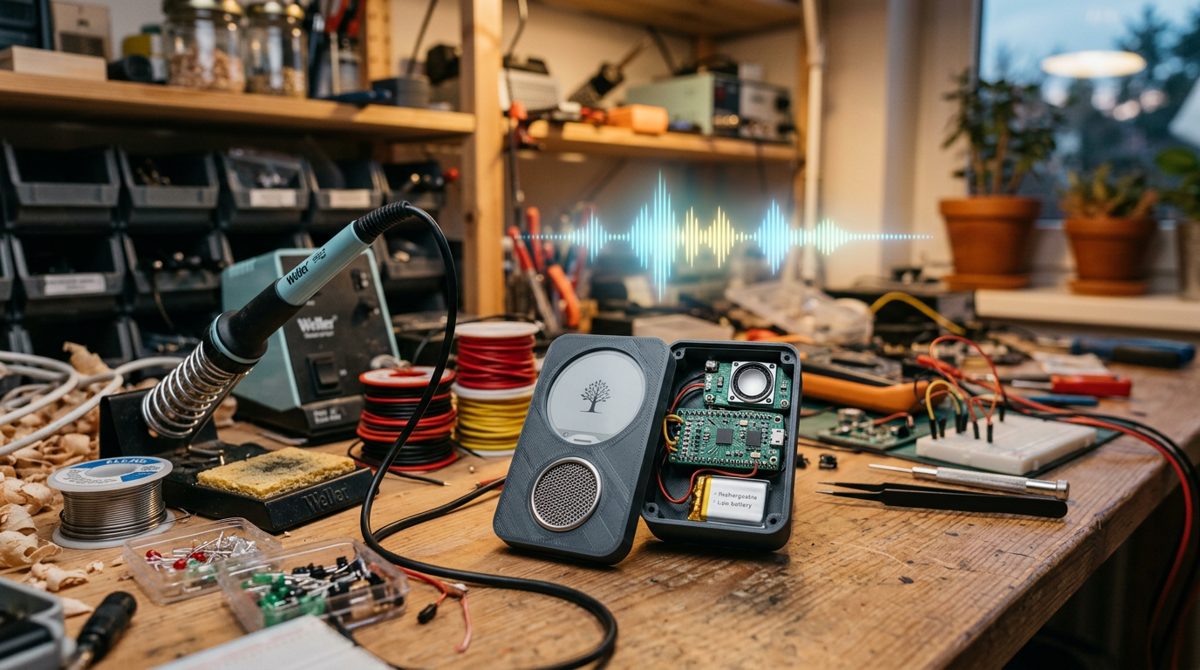
Meta Muse Gadgets, announced on 2 October 2026, is an open-source ESP32 firmware and Linux SDK that lets makers build their own hardware for Muse, Meta’s personal AI agent. For embedded engineers it is a rare look at how a big-tech agent device is put together, and a chance to build one on a cheap dev board.
What Meta announced with Muse Gadgets
According to TechCrunch, Muse is Meta’s agent for booking travel, filling out forms and shopping. With Muse Gadgets, Meta published open-source firmware, a Linux SDK and a few starter project ideas, and set up a Discord for builders. The code sits in the facebookincubator/muse-gadget-sdk repository under the Apache 2.0 licence. The Jollybot avatar art is the one part the licence does not cover.
The launch came a week after Meta’s Connect event. There, as Business Insider reported, Mark Zuckerberg showed Charm, a small Muse device with a screen. Meta says it should ship in time for the holiday season, and only a few units exist so far. Meta also built its own gadget on the new firmware, Muse Home Link, a USB-C device that connects Muse to the home network. Meta made 5,000 and is giving them free to Muse subscribers in the United States (one each, shipping in October), according to TechCrunch and the official Muse Gadgets site.
| Piece | What it is | Runs on |
|---|---|---|
| ESP32 Device SDK | Open-source ESP-IDF firmware: BLE pairing, Wi-Fi, encrypted session to Muse, optional display/audio UI | ESP32, ESP32-S3, ESP32-C5, ESP32-C6 boards (ESP-IDF v6.0.1 only) |
| Linux Device SDK | A musegadget service that lets Muse run commands and move files |
Raspberry Pi 3B+, 4, 5, Zero 2 W, or any Linux box with Bluetooth LE |
| Muse Home Link | Meta-built USB-C gadget that bridges Muse to devices on your Wi-Fi | Meta hardware (free to US subscribers, limited run) |
| Muse Charm | Meta’s own consumer Muse device with a screen | Not yet shipping; holiday target |
The architecture of an agent-connected gadget
A Muse gadget is a thin client. The intelligence lives in Meta’s cloud. The board handles pairing, the network, input/output and a command interface. The repository’s AGENTS.md describes the firmware like this: it pairs with a phone over BLE, joins Wi-Fi, and holds an encrypted Noise-protocol session to a Muse VM, with an optional home-network tunnel.
Input: push-to-talk, not a wake word (yet)
Unlike always-listening smart speakers, every voice board in the ESP32 SDK README uses push-to-talk: you hold a button, the board records a voice note, and Muse transcribes it in the cloud. If you want hands-free activation, Espressif’s ESP-SR WakeNet is the usual route on an ESP32-S3. It runs a neural model on 16 kHz mono audio and triggers when a smoothed score passes a threshold. Meta doesn’t ship it, and adding it makes the device always-listening, which changes your privacy story.
Audio and reply pipeline
Muse replies with text. Boards with a screen show the answer as captions. The Voice Preview Edition and reSpeaker Lite send replies to the Muse app instead. To get spoken answers, the README suggests sending each reply to a text-to-speech API of your choice and playing back the audio. On boards with PSRAM, start_tts in muse_chat_session.cpp already has the reply text, an MP3 decoder (minimp3), the speaker and volume control wired up.
Commands: how the agent touches hardware
The agent acts through named commands. The firmware advertises them in a link.register message and answers each link.invoke. Examples include device.health, camera.capture and sensors.read. On boards with PSRAM, a home-network tunnel also lets Muse reach local devices that expose an HTTP API. Boards without PSRAM, such as the classic ESP32 and the C6 devkit, run without the tunnel.
Supported boards and what makers can build
Meta’s README listed about two dozen ESP32 boards in early October 2026, two of them marked experimental, and the list is still growing. The quickest start is the ESP32-C5 DevKitC-1, which needs only its status LED and BOOT button. Boards with the full UI (animated avatar, push-to-talk, settings, images) include:
- Waveshare ESP32-S3-Touch-AMOLED-1.75C round AMOLED
- M5Stack StickS3, CoreS3, Core2 and StickC Plus2
- Espressif ESP32-S3-BOX-3 and Seeed SenseCAP Watcher
- AIPI Lite desk companion
Status-only builds cover the Seeed reTerminal E1001/E1002 e-paper panels, the ideaspark ESP32 with a 1.9-inch display, and the Home Assistant Voice Preview Edition, which uses its LED ring, push-to-talk and volume dial. The project page suggests a colour e-ink morning-briefing display, a pocket status gadget and an HDMI TV stick (listed as coming soon). On Linux, Meta pitches a Raspberry Pi 5 running Home Assistant and sysadmin chores.
Engineers can go further: a bench sensor exposed as a command, a relay behind a physical confirm button, or a Pi that pushes alerts with musegadget send-user-msg.
Privacy and security of Meta Muse Gadgets
AI agent safety is a hot topic this month, and Meta’s documentation is unusually direct about the risks:
- No manufacturer verification. Pairing needs a button press and a fresh encrypted session, but it cannot prevent an active man-in-the-middle attack. Pair on a trusted network.
- Linux gadgets give the agent a shell.
system.run,file.readandfile.writerun with the full permissions of the installing account. If that account can use sudo, so can Muse. Useinstall.sh --run-aswith a dedicated account that has no sudo. - The token is not a secret. It is compiled into the firmware; revoke and rebuild if it leaks.
- Flash is readable. Wi-Fi credentials and device tokens sit in NVS. Meta strongly recommends enabling NVS encryption (
CONFIG_HOMEHUB_NVS_ENCRYPTION), which derives the key from an eFuse HMAC key. - Dev builds aren’t locked down. They use a committed development key and never enable Secure Boot.
- Validate inputs yourself. The firmware does not check command parameters against the advertised schema, so your handler must check presence, type, length and range.
Treat the agent as an untrusted remote caller: expose the smallest command set possible, and keep a hardware interlock on anything that moves or heats.
How to prototype a Meta Muse Gadget: what this means for embedded engineers
This is a cheap way to practise BLE provisioning, encrypted sessions, FreeRTOS task design and agent-facing APIs. A practical path:
- Get the prerequisites: an SDK token from gadgets.muse.ai (Account > SDK tokens), the Muse app on iOS or Android, a data-capable USB cable, and macOS or Linux.
- Install ESP-IDF v6.0.1 exactly. Other versions aren’t supported. Run
install.sh esp32c5,esp32s3,esp32c6,esp32, then. export.shin every terminal. - Build and flash: set the token in
idf.py menuconfig, thenidf.py buildandidf.py -p PORT flash monitor. For other boards usetools/board.sh <board> build. - Pair: enable Settings > Devices > Developer mode in the app, add
MuseGadget-XXXXXX, and press BOOT when the LED breathes blue. Green means connected. - Add a command: advertise it with
add_command()inbuild_register_json()(main/noise_control.cpp) and handle it inon_ws_command()(main/app.c). Return{"ok": true, "payload": {...}}. Move slow work, like network calls or cameras, into its own task, return{"_async": true}, and callnoise_ctrl_send_command_result()once. - Iterate without hardware using the desktop
simulator/and host-side tests.
Keep link.register under its 8 KB limit, and respect boot-strapping pins when you wire buttons and relays; our guide on choosing ESP32 GPIO pins without boot and flash problems covers the traps. Build in automatic Wi-Fi recovery on the ESP32 from day one. If you want to move some inference onto the device later, start with our overview of edge AI on microcontrollers.
Note: some early coverage claimed the SDKs run Muse offline on the ESP32. Meta’s ESP32 and Linux READMEs describe cloud-connected clients, so plan around a network connection.
Key takeaways
- Muse Gadgets is open-source (Apache 2.0) ESP32 firmware plus a Linux SDK for building Muse-connected hardware.
- Supported chips are ESP32, ESP32-S3, ESP32-C5 and ESP32-C6, built only with ESP-IDF v6.0.1. On Linux, Raspberry Pi 3B+/4/5/Zero 2 W or any BLE-capable box.
- Security is your job: pair on trusted networks, encrypt NVS, validate parameters, and never give the agent a sudo account.
FAQ
What is Meta Muse Gadgets?
An open-source Meta project, launched on 2 October 2026, providing ESP32 firmware and a Linux SDK for building devices that connect to the Muse AI agent.
Which boards does Muse Gadgets support?
ESP32, ESP32-S3, ESP32-C5 and ESP32-C6 boards such as the ESP32-C5 DevKitC-1, ESP32-S3-BOX-3 and M5Stack StickS3, plus Raspberry Pi 3B+, 4, 5 and Zero 2 W on Linux.
Does Muse run on the ESP32 itself?
No. Per Meta’s documentation, the board holds an encrypted session to Muse in Meta’s cloud, sends push-to-talk voice notes and receives text replies.
Is it safe to connect an AI agent to my hardware?
With care. Pair on a trusted network, use a non-sudo account on Linux, enable NVS encryption and keep commands minimal.
Want to build agent-connected devices with confidence? Explore the ESP32, IoT and embedded AI courses from Educational Engineering Team at https://eduengteam.com/online-embedded-systems-courses-educational-engineering-team-n/.