
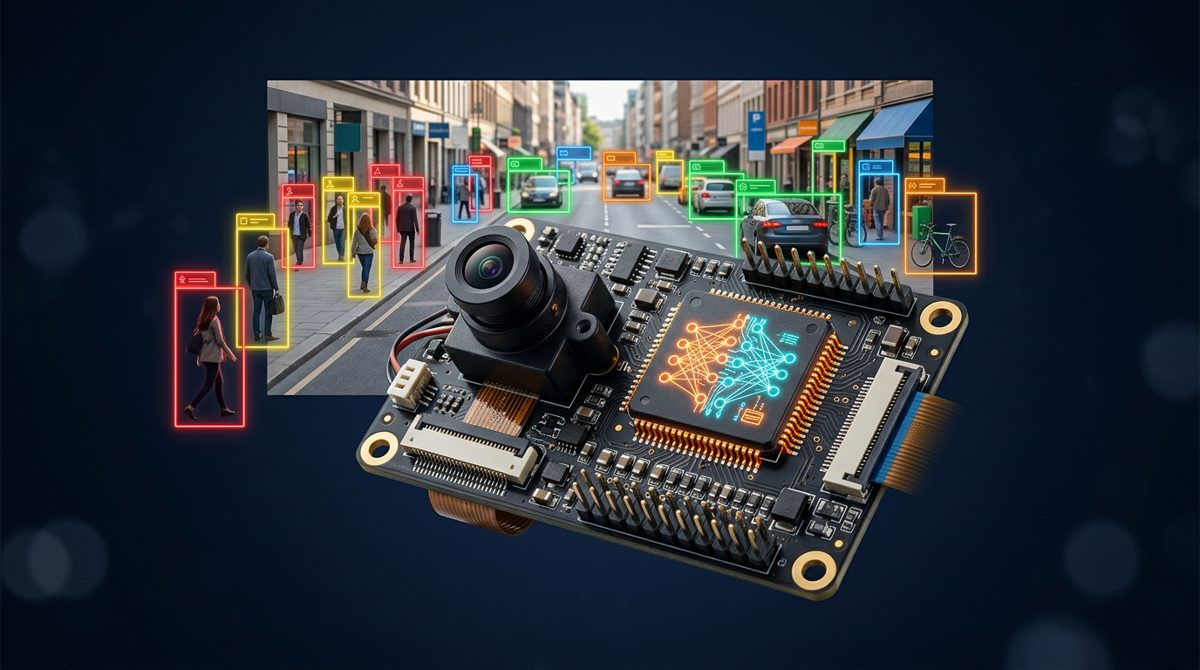
The STM32N6 NPU has gone from datasheet promise to a real ecosystem in 2026. A MicroPython camera, an Arduino-compatible Feather board, a Seeed and ST touchscreen kit, an industrial 8.8″ HMI and official Ultralytics YOLO support now all run on the same 600 GOPS Neural-ART accelerator.
What the STM32N6 Actually Is
According to ST’s STM32N6 series page, the chip pairs an Arm Cortex-M55 at 800 MHz, the first CPU with Arm Helium vector extensions, with the ST Neural-ART Accelerator. That is an in-house NPU clocked at 1 GHz and rated at up to 600 GOPS.
The rest of the chip is built around vision. There is a MIPI CSI-2 camera interface with a dedicated ISP, an H.264 hardware encoder, the NeoChrom graphics accelerator, 4.2 MB of contiguous embedded RAM, and hexa-SPI, OCTOSPI and FMC interfaces for external memory. It comes in six packages (169 to 264 pins) and is rated up to 125 °C ambient.
Check the part number before you order. ST sells two lines: the STM32N6x7 AI line, which has the Neural-ART Accelerator, and the STM32N6x5 general-purpose line, which keeps the RAM, graphics and ISP but has no NPU. ST’s own boards are the STM32N6570-DK Discovery kit and the NUCLEO-N657X0-Q, both built on the STM32N657X0.
Why the STM32N6 NPU Ecosystem Took Off in 2026
Edge AI chips stall when their software and boards never mature, a point made in our piece on why edge AI accelerator success is determined by the software tools. In 2026 the STM32N6 got both.

- Ultralytics YOLO. On its STMicroelectronics partner page, Ultralytics describes a train, export and deploy flow. You train YOLO models from YOLOv8 to YOLO26 on Ultralytics Platform, then convert and quantize them for the Neural-ART NPU with STM32Cube AI Studio, then deploy. Ultralytics says the flow covers all five YOLO tasks.
- OpenMV N6. TVG Report’s 30 September analysis describes a 45 × 35 mm MicroPython camera on the STM32N657. It has 64 MB of SDRAM, 32 MB of flash and a removable 1 MP global-shutter PAG7936 sensor. OpenMV’s documentation claims YOLOv8 or YOLOv11 detection at 30 fps while streaming video. TVG notes that this is a vendor figure, not an independent benchmark.
- Ohm Lab Neuro N6. In a 17 June post, Ohm Lab introduced an Arduino-compatible STM32N6 board in the Adafruit Feather form factor. It takes swappable Neuro Vision camera and thermal modules, and the whole capture-to-NPU pipeline runs inside an Arduino sketch.
- Seeed Studio AI Assistant. Seeed built this kit with ST and lists it at $149 (excl. VAT). It combines the STM32N657, a VD55G1 global-shutter camera, an LSM6DSO16IS IMU with ISPU, a 4.0″ 480 × 480 touch display, a microphone, an audio codec and Wi-Fi.
- Winstar 8.8″ AI display. According to distributor FIRST Components, Winstar’s WL0F00088000BGXAANA00-FC puts a 1920 × 480 IPS touch panel, an STM32N657, 32 MB of RAM, 64 MB of flash, CAN FD, RS485 and Ethernet on one 9–36 VDC module, with no Linux required. Demo kits are expected in October.
One NPU and one toolchain now cover makers, Python users, Arduino users and HMI designers.
STM32N6 Boards Compared
| Board | Programming model | Camera / sensors | External memory | Best fit |
|---|---|---|---|---|
| OpenMV N6 | MicroPython (firmware v5.0.0) | PAG7936 1 MP global shutter, IMU, mic | 64 MB SDRAM, 32 MB flash | Robotics, vision prototypes, labs ($195 as checked by TVG on 30 Sep) |
| Ohm Lab Neuro N6 | Arduino-style sketches | Swappable Neuro Vision modules incl. OV5640 and thermal | Not stated in source | Compact, embedded-in-the-product prototypes |
| Seeed AI Assistant | STM32 / ST Edge AI flow | VD55G1 global shutter (800 × 700), ISPU IMU, mic | 128 MB NOR flash, 32 MB DRAM | Vision and voice UIs, teaching ($149 excl. VAT) |
| Winstar 8.8″ AI display | TouchGFX or LVGL | MIPI CSI-2 / parallel camera input | 32 MB RAM, 64 MB flash | Industrial HMIs with local AI |
| ST STM32N6570-DK | STM32Cube / ST Edge AI | Camera via ST accessories | See ST documentation | Full silicon evaluation |
The Toolchain: ST Edge AI Core, Developer Cloud and the Model Zoo
ST groups its STM32N6 software under the STM32N6-AI ecosystem, which is part of the wider ST Edge AI Suite. The pieces you will actually use are:
- ST Edge AI Core: a command-line tool (
stedgeai) that optimizes a model, maps its operators onto the NPU and generates C code. - ST Edge AI Developer Cloud: a free online service that benchmarks inference time and memory on real STM32 boards in a hosted board farm. It also has a REST API.
- STM32 model zoo (GitHub): pretrained and quantized models, plus scripts for training, quantization, benchmarking and deployment.
- Getting-started packages: GitHub examples for object detection, image classification, pose estimation, semantic and instance segmentation, face detection, re-identification and audio event detection.
One detail matters for new projects. ST’s STM32N6-AI page currently marks the older X-CUBE-AI (STM32Cube.AI) expansion pack as “Not recommended for new design”. Plan around ST Edge AI Core, Developer Cloud or STM32Cube AI Studio, which is the tool Ultralytics names, instead. ST lists native support for Keras and TensorFlow Lite, plus any framework that exports ONNX, such as PyTorch and MATLAB.
Quantization and Model Choice for the STM32N6 NPU
The NPU runs 8-bit integer models. ST Edge AI documentation lists the supported scheme for STM32 parts with Neural-ART as “ss/sa per channel”. That means int8 weights quantized symmetrically per channel, and int8 activations quantized asymmetrically per tensor. This is the default output of TensorFlow Lite full-integer post-training quantization. For PyTorch, export to ONNX and quantize with ONNX Runtime static quantization in QDQ format, which ST says is its preferred format.
Some practical rules for model choice:
- Start from the model zoo or a small YOLO variant. ST’s own getting-started lab uses
mobilenet_v2_0.35_224_fft_int8.tflite. For detection, Ultralytics lists nano-class YOLOv8 and YOLO11 models. - Calibrate with real data. Post-training quantization is only as good as its representative dataset. Use images from your camera and your lighting conditions.
- Budget memory first. The 4.2 MB of on-chip RAM has to hold activations, frame buffers and your application. Larger weights usually live in external flash. OpenMV, for example, memory-maps models from a ROM filesystem.
- Keep the whole graph on the NPU. An unsupported operator falls back to the Cortex-M55 and can wipe out the speed-up. Check the generated report first.
What This Means for Embedded Engineers: A First Deployment
ST’s getting-started guide shows the basic loop with ST Edge AI Core. Generate NPU-specific C files from a quantized model:
stedgeai generate -m mobilenet_v2_0.35_224_fft_int8.tflite --target stm32n6 --st-neural-artThen build and flash ST’s test application and validate on the board over serial, using representative inputs instead of random ones:
stedgeai validate -m mobilenet_v2_0.35_224_fft_int8.tflite --target stm32n6 --mode target -d serial:921600 -vi input_20_images.npyNext steps that pay off quickly:
- Match the camera pipeline. Options such as
--inputs-ch-position chlast --input-data-type uint8adapt a channel-first PyTorch/ONNX model to channel-last uint8 sensor data, so you don’t need a conversion step on the CPU. - Profile before you optimize. Measure end-to-end latency, including capture, ISP, preprocessing, post-processing and display. Don’t stop at the NPU’s inference time.
- Revisit the fundamentals. Our guide to what embedded engineers should learn next for edge AI on microcontrollers covers the skills behind this workflow. If you are still choosing a platform, see microcontroller vs microprocessor vs SoC.
- Read the board caveats. TVG notes that OpenMV N6 GPIO is not 5 V tolerant, that CAN is not yet supported in firmware v5.0.0, and that v5.0.0 breaks scripts written for the old
sensorAPI.
Key Takeaways
- The STM32N6 combines an 800 MHz Cortex-M55 with a 1 GHz, 600 GOPS Neural-ART NPU and a full camera/ISP pipeline.
- 2026 brought MicroPython (OpenMV N6), Arduino (Neuro N6), kit (Seeed AI Assistant) and industrial HMI (Winstar) options, plus official Ultralytics YOLO support.
- Deploy int8 models: per-channel symmetric weights and per-tensor asymmetric activations, via TFLite or ONNX QDQ.
- Use ST Edge AI Core, Developer Cloud and the model zoo. ST now marks X-CUBE-AI as not recommended for new designs.
FAQ
How fast is the STM32N6 NPU?
ST rates the Neural-ART Accelerator at up to 600 GOPS at 1 GHz. Real throughput depends on the model, input size and memory traffic.
Can the STM32N6 run YOLO?
Yes. Ultralytics officially supports deploying YOLO models to the STM32N6 through STM32Cube AI Studio. OpenMV documents YOLOv8/YOLOv11 detection at 30 fps on its N6 camera, which is a vendor figure.
Do I need to quantize my model for the STM32N6?
Yes. The NPU is built for 8-bit integer models. Use TensorFlow Lite full-integer post-training quantization or ONNX Runtime static quantization in QDQ format, and calibrate with representative data.
Which STM32N6 board should a beginner buy?
Choose OpenMV N6 if you want MicroPython, Neuro N6 if you work in Arduino, and the Seeed AI Assistant if you want a display and mic built in. ST’s STM32N6570-DK is the reference board for full chip evaluation.
Ready to build your own edge AI projects? Explore the Educational Engineering Team courses at https://eduengteam.com/online-embedded-systems-courses-educational-engineering-team-n/.